
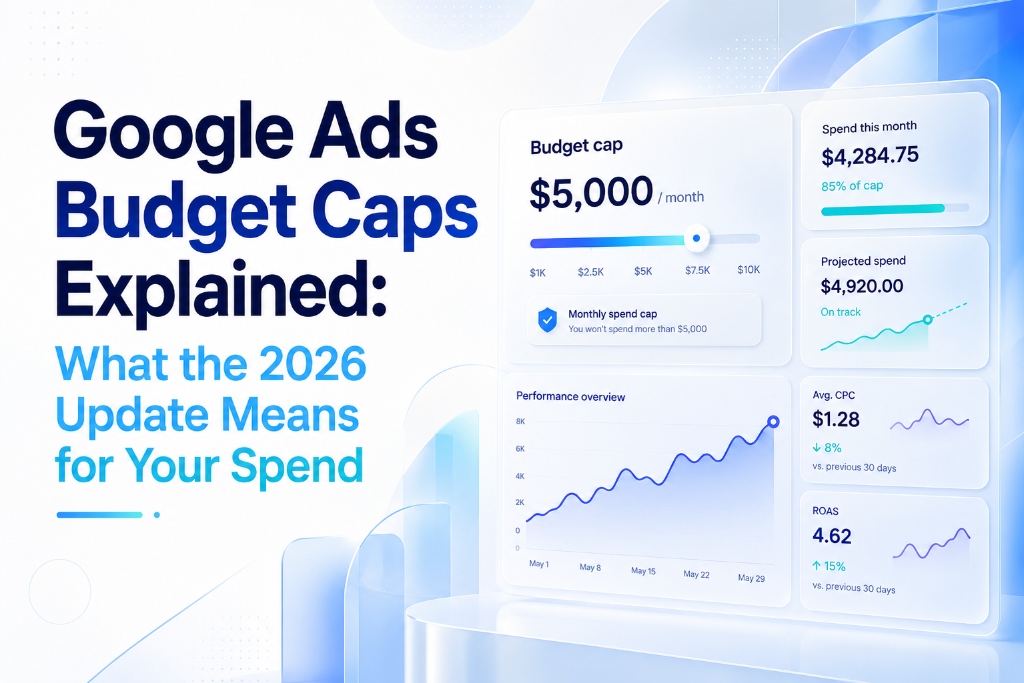
If you run ads only on weekdays or during office hours, a 2026 change to how Google paces budgets deserves your close attention. It does not raise any spending limit, and Google frames it as simply helping advertisers hit their monthly goals. But it changes how aggressively Google spends within the limits you already set, and for many Indian advertisers that quietly means a higher monthly bill from the exact same daily budget. Understanding it takes five minutes and can save you a meaningful share of your spend. Here is what actually changed, who it affects, and how our PPC management team protects client budgets.
First, How the Caps Actually Work
Google Ads has never treated your daily budget as a hard daily ceiling. On a high-traffic day it can spend up to twice your daily budget to capture demand, balancing that against quieter days. The real guardrail is the monthly limit, set at 30.4 times your daily budget, where 30.4 is simply the average number of days in a month.
So a ₹1,000 daily budget means Google may spend up to ₹2,000 on any single day, but never more than about ₹30,400 across the month. Those two caps have not changed.
What Changed in 2026
Google first announced this change for March 1, then rolled it out broadly from June 1, 2026. Previously, if your ads ran only on certain days, Google paced your spend across those active days, so a weekday-only schedule effectively spent your daily budget across roughly 22 days.
Now Google paces toward the full monthly cap regardless of how few days your schedule allows. It will push harder to spend the whole monthly envelope within your active windows, rather than leaving the unused weekend portion untouched as it did before.
Who Feels It Most
The tighter your schedule, the bigger the impact. Consider a consultant running ads only on weekdays with a ₹1,000 daily budget:
- Before: Spent around ₹22,000 a month (₹1,000 × ~22 weekdays)
- Now: Google can pace toward the full ₹30,400 cap by spending more aggressively on those weekdays
- Impact: A jump of roughly 38% without the advertiser changing a single setting
Business-hours-only service advertisers, common across Indian local services, see the same effect because their active days are similarly limited.
What Did Not Change
It is worth being precise, because the change is easy to misread:
- The daily cap of twice your daily budget is unchanged
- The monthly cap of 30.4 times your daily budget is unchanged
- Your ads still will not run on days or hours you have disabled
- No new limits were added and no existing limits were raised
Google is simply spending more assertively inside the room you already gave it — like a car driving faster on a road whose speed limit never moved.
A Quick Worked Example
Numbers make the change concrete. Suppose you set a ₹1,000 daily budget and run ads Monday to Friday only:
| Old Pacing | New Pacing (June 2026) | |
|---|---|---|
| Daily budget | ₹1,000 | ₹1,000 |
| Active days | ~22 weekdays | ~22 weekdays |
| Pacing target | ~₹22,000 | ₹30,400 (full monthly cap) |
| Max daily spend | Up to ₹2,000 | Up to ₹2,000 |
| Monthly spend | ~₹22,000 | Up to ₹30,400 |
| Difference | +₹8,400/month (~38% increase) | |
Same daily budget, same schedule, but nearly ₹8,400 more per month — a difference that is easy to miss until the invoice arrives.
Six Steps to Protect Your Budget
1. Review every scheduled campaign
Start by auditing every campaign that uses ad scheduling and note its active days. If you run weekday-only or business-hours-only schedules, those campaigns are directly affected.
2. Recalculate your true monthly exposure
Your true monthly cap is daily budget × 30.4, not daily budget × active days. This is the number Google will now pace toward, regardless of your schedule.
3. Lower daily budgets to match your intended spend
If the 30.4-multiplied figure is higher than you are comfortable with, lower the daily budget so the monthly cap lands exactly where you intend it to. This is the core fix, and for most advertisers it fully neutralises the change.
4. Watch maximise-conversions and maximise-value campaigns
These bid strategies are the likeliest to bid up into the new headroom and lift your cost per click. Monitor them most closely during the transition period.
5. Keep conversion tracking clean
Ensure any extra spend still buys profitable actions. Accurate conversion data is your safety net — if spend goes up but conversions do not, you will catch it early.
6. Revisit performance weekly
A structured performance marketing process makes these checks routine rather than reactive, which is exactly how a surprise becomes a non-event. Monitor pacing, CPC, and conversion cost weekly for at least the first month after the transition.
💡 Need help recalculating your caps? Our PPC team audits every scheduled campaign for free → digiveritaz.com/contact-us
The DigiVeritaz Takeaway
This update is a useful reminder that in modern Google Ads, control lives in the details, not the headlines. Recalculate your caps using the 30.4 multiplier, adjust daily budgets accordingly, and monitor pacing for a few weeks — and the change stops being a threat to your budget.
Advertisers who ignore it may simply pay more for the same results; those who adjust keep spend and returns exactly where they planned. As a digital marketing agency in India managing spend across 7 industries, DigiVeritaz builds these guardrails into every account so budgets deliver returns, not surprises.
Frequently Asked Questions
Has Google raised the daily or monthly budget cap?
No. Both the daily cap of twice your daily budget and the monthly cap of 30.4 times your daily budget remain unchanged. What changed is how aggressively Google paces spending within those caps for campaigns that use ad scheduling.
Who is most affected by the 2026 budget pacing update?
Advertisers running ads only on certain days or during limited hours, such as weekday-only or business-hours-only schedules, are most affected. The tighter the schedule, the bigger the potential increase in monthly spend.
How much more could I spend under the new pacing?
A weekday-only schedule with a ₹1,000 daily budget could see monthly spend rise from roughly ₹22,000 to the full monthly cap of ₹30,400, an increase of about 38%.
What is the simplest way to protect my budget?
Recalculate your true monthly exposure as daily budget multiplied by 30.4. If that number is higher than you want to spend, lower your daily budget so the monthly cap lands where you intend it to. This single adjustment fully neutralises the pacing change.
Will my ads run on days I have disabled in the schedule?
No. Your ads will still only run on days and hours you have enabled. The change only affects how Google redistributes your monthly budget across those active windows.